Prerequisites
You need to be an owner of the GitLab group you want to connect to Hacktron. This is required to create a service account for Hacktron to use.Configure access
Open Service Accounts page
In GitLab, under the group you want to connect to Hacktron, go to
Settings and select Service Accounts.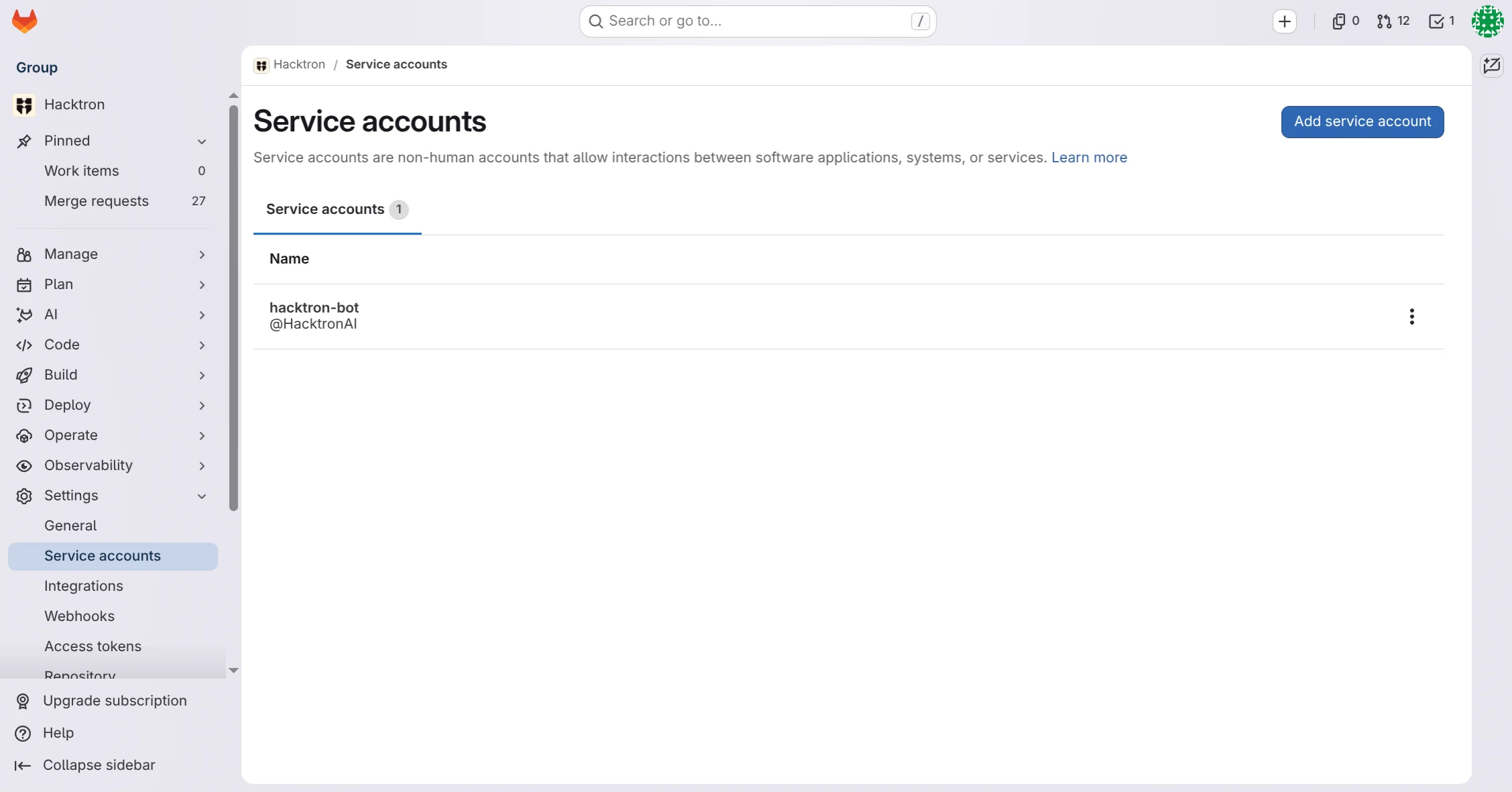
Create a new service account
Give the service account a descriptive name, e.g. “Hacktron”.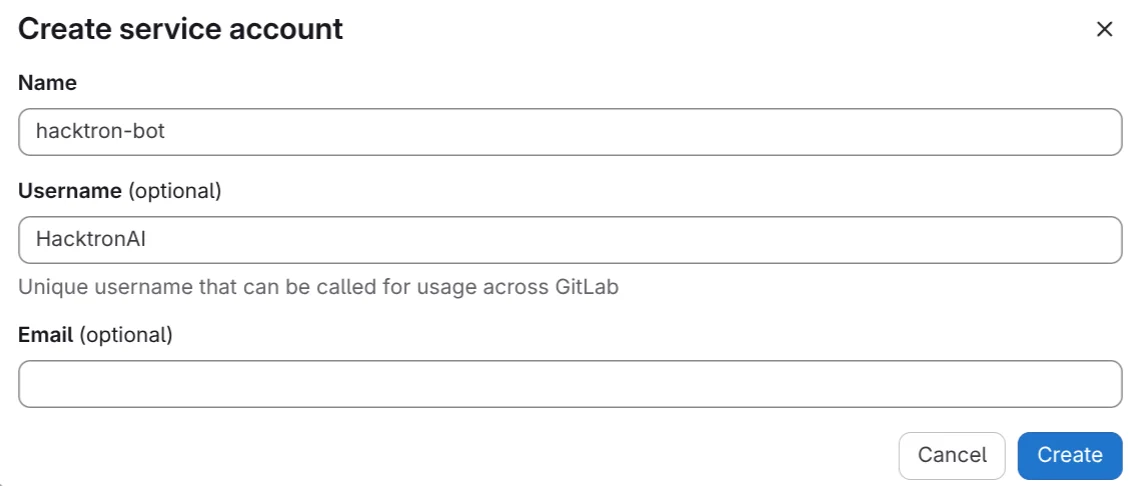
Grant Maintainer access to the service account
In the Group or Projects you want to connect to Hacktron, grant the
service account Maintainer access.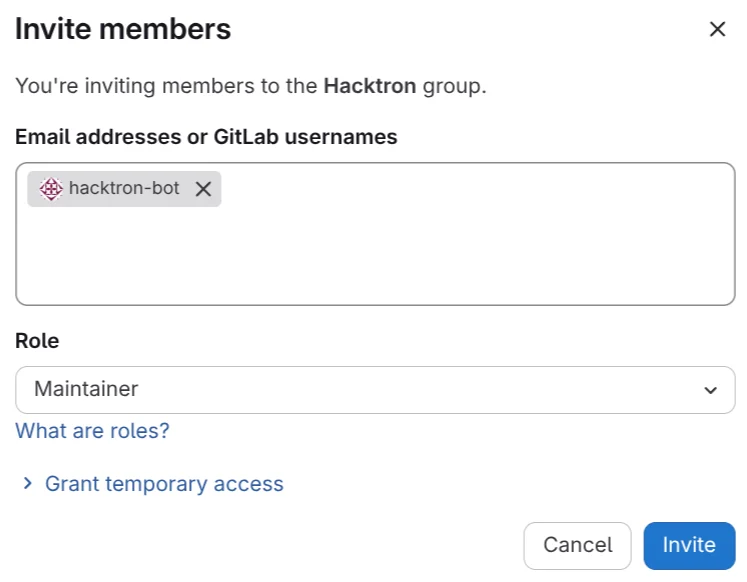
Create a new personal access token
In the service account page, select the service account and click on
Manage access tokens.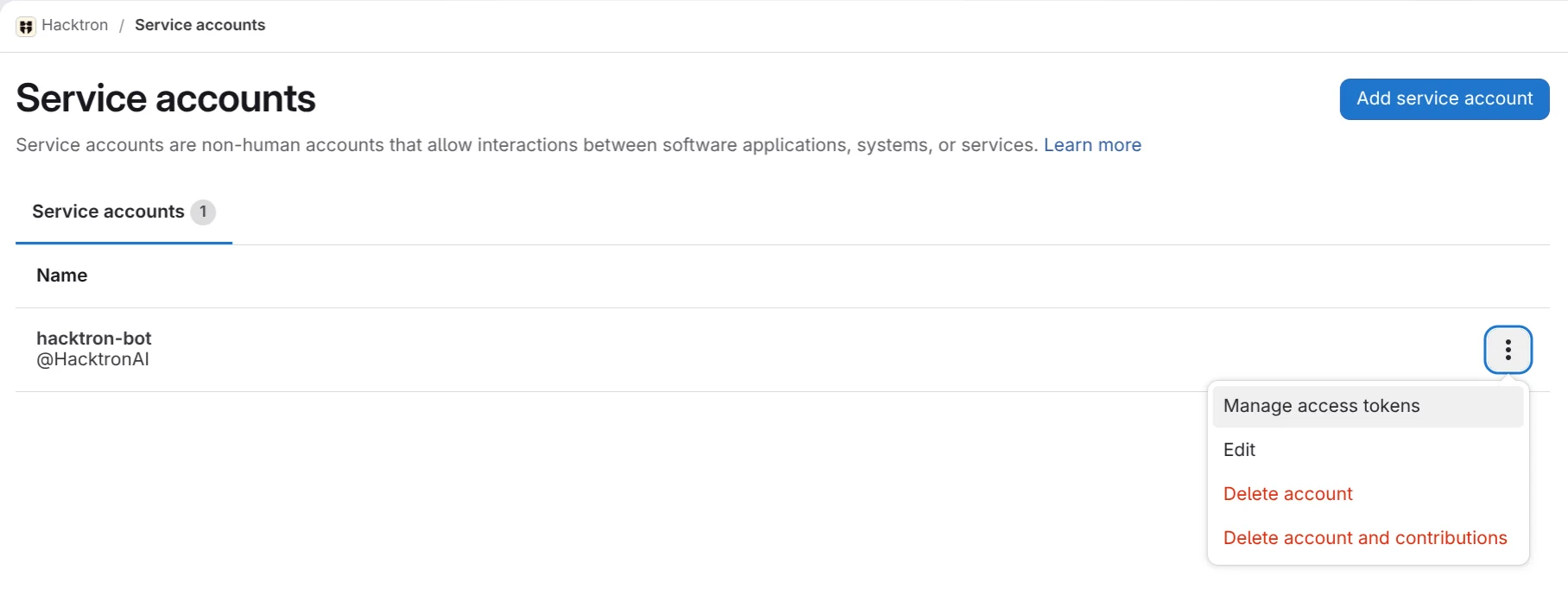
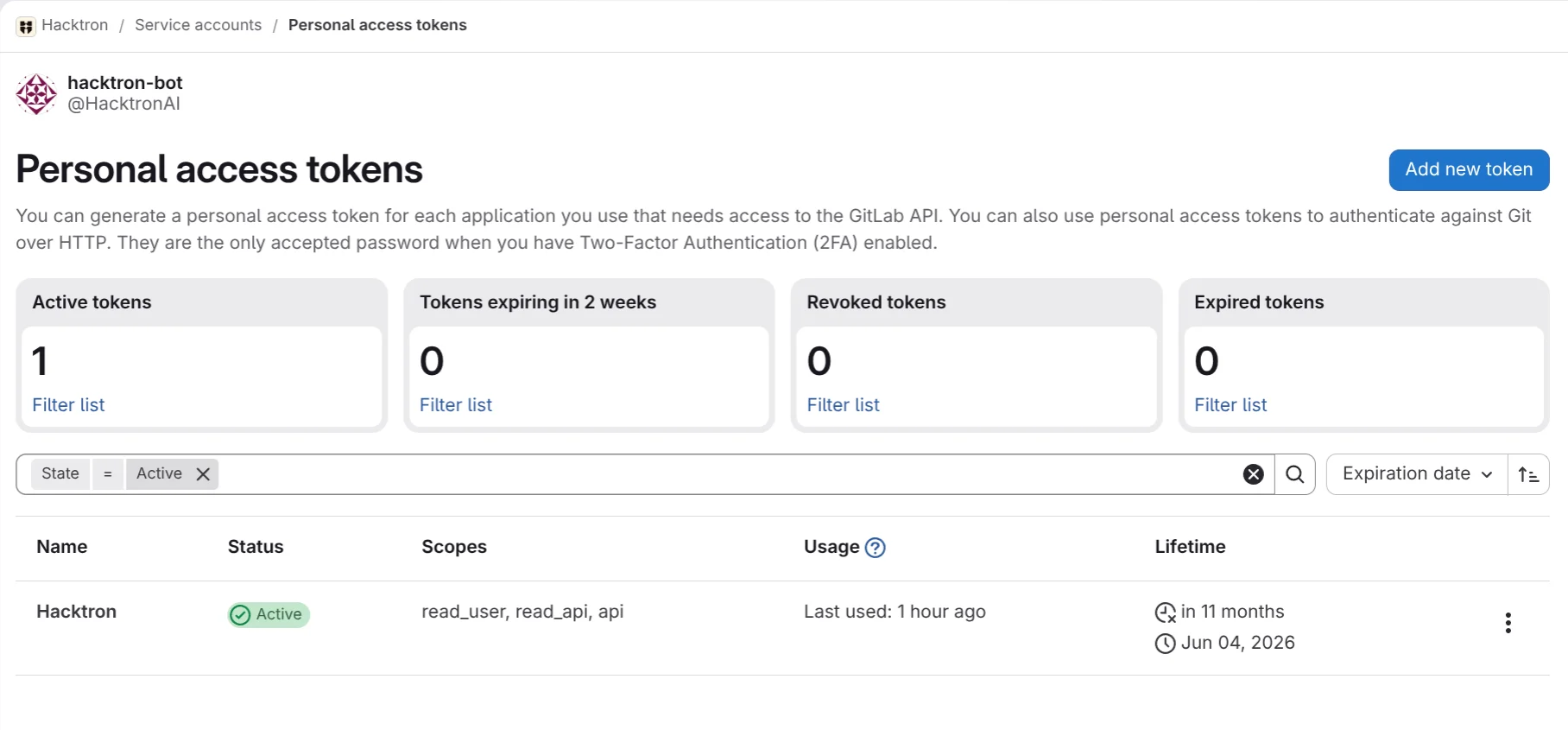
read_userread_apiapi
This is required for Hacktron to receive merge request events and run code
reviews. Hacktron does not retain any source code after each review is
complete.